Google Shopping Products Not Updating? A 5-Minute Freshness Check
Your Shopping ads can keep running on yesterday's price and stock level. You may only notice when clicks stop converting, customers complain, products get disapproved, or sales quietly disappear.
That is the real risk after Google retired the Content API for Shopping. Not that your products vanish from Merchant Center overnight, but that a sync which only half works keeps your catalog looking healthy while the data underneath goes stale. A feed that is completely dead usually gets noticed fast. A feed that fails now and then can go unnoticed for much longer.
Here is a check that takes about five minutes, works on any platform, and needs no developer and no knowledge of APIs.
Key insights
- A sync that half works is harder to spot than one that is dead: your ads can keep running on yesterday's price and stock.
- Google's Content API shutdown is gradual. Requests without an extension have failed intermittently since September 1, and the final shutdown is planned for early 2027.
- Products stay in Merchant Center until 30 days after their last refresh. Automatic item updates are a safety net, not a replacement for regular product data updates.
- Test the data, not the API: compare five products in your store with Merchant Center and read the Last update column.
- The "Content API" label in Merchant Center does not tell you whether your connection works.
What actually happened on August 18
Google's documentation says the Content API for Shopping "was sunset on August 18, 2026." A lot of articles stop there and describe a hard stop. That is not what Google describes. (I covered the original deadline in the Content API shutdown article. This piece covers what happened after it.)
Since September 1, requests from integrations without an active extension fail intermittently with an HTTP 410 error. Google warns that failing requests "will become more frequent until all requests fail at decommissioning," which it places in early 2027, subject to change.
For a store owner, the important word is intermittently. An integration that fails some of the time does not set off an obvious alarm. Some updates get through, some do not, and nothing tells you which ones.
If you sell through an ecommerce platform, Google says your platform partner handles the migration for you. That is a statement about your partner's work, not about your data. The check below tells you whether the work actually landed.
Why Merchant Center can look healthy while your data is old
A product does not disappear the moment updates stop. Google says all products "expire from your Merchant Center account 30 days after the last refresh." Until then, the product stays in your account with the last data it received: the old price, the old stock status.
Google also has a safety net. Automatic item updates can read your product pages and correct price, sale price, availability and condition for some products. They are switched on by default and can correct some mismatches. But Google is clear about the limits: they "aren't a replacement for regular updates of your product data," and they may not work for products whose price or availability changes often, for example more than once per day.
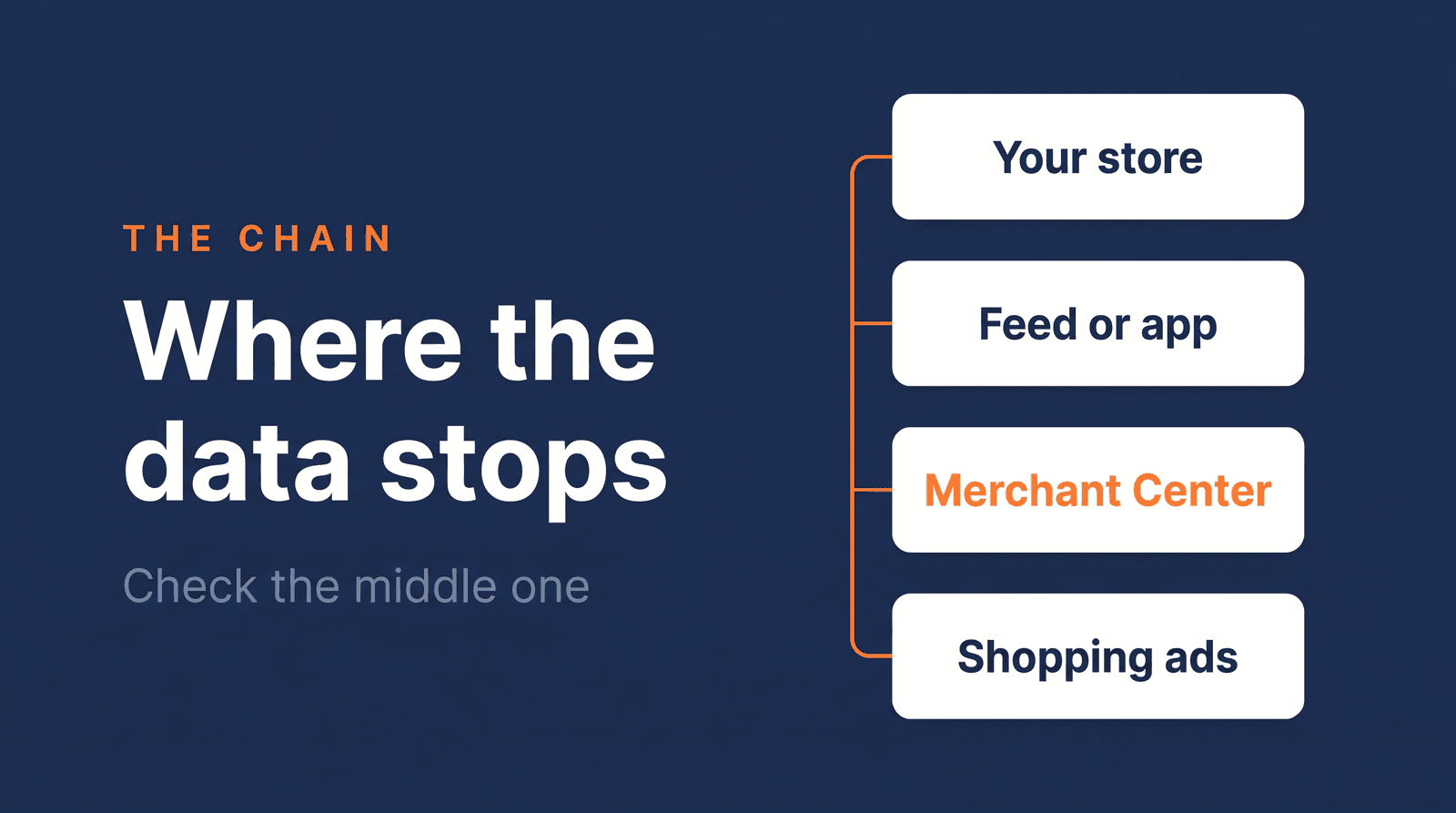
So your products can stay approved and the account can look perfectly normal while a share of your prices and stock levels is out of date. The only way to know is to compare what your store says with what Merchant Center holds. Every Shopping ad sits on a chain, from your store through a feed or app to Merchant Center, and this is the link where stale data hides. It is also why I treat the feed as the foundation in the complete Google Shopping guide.
The 5-minute freshness check
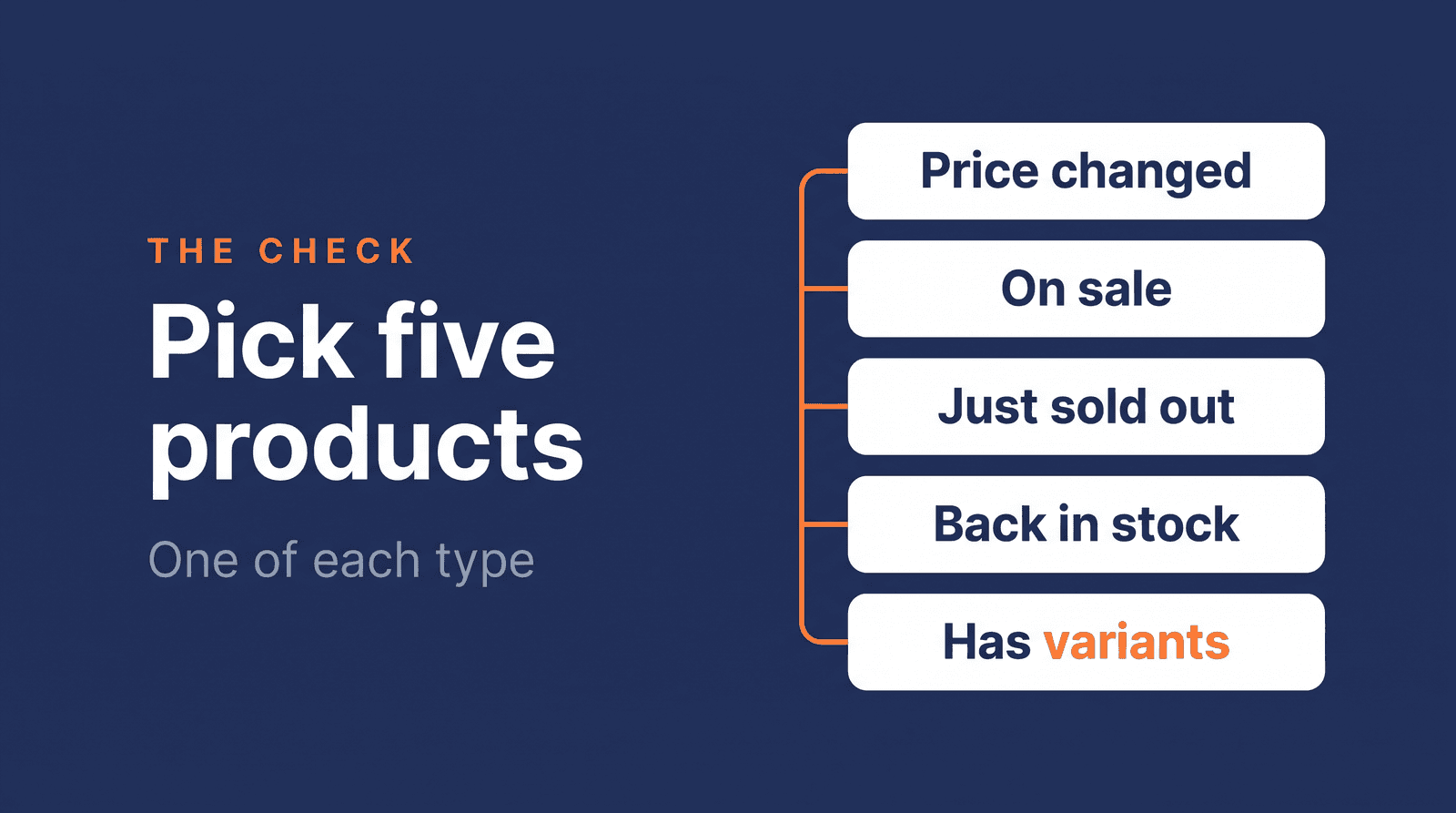
You are not auditing your whole catalog. You are sampling the products where a failing sync shows first. Pick five, one of each type:
| Pick this product | Why it exposes a stale sync |
|---|---|
| A price you changed in the last 48 hours | Any delay shows immediately |
| A product on sale | The sale price has to match, not just the regular price |
| A product that just sold out | Ads for out-of-stock products waste clicks |
| A product that came back in stock | It stays hidden if the status never updated |
| A product with variants, such as size or color | Prices and stock can differ per variant |
For each one, compare two places:
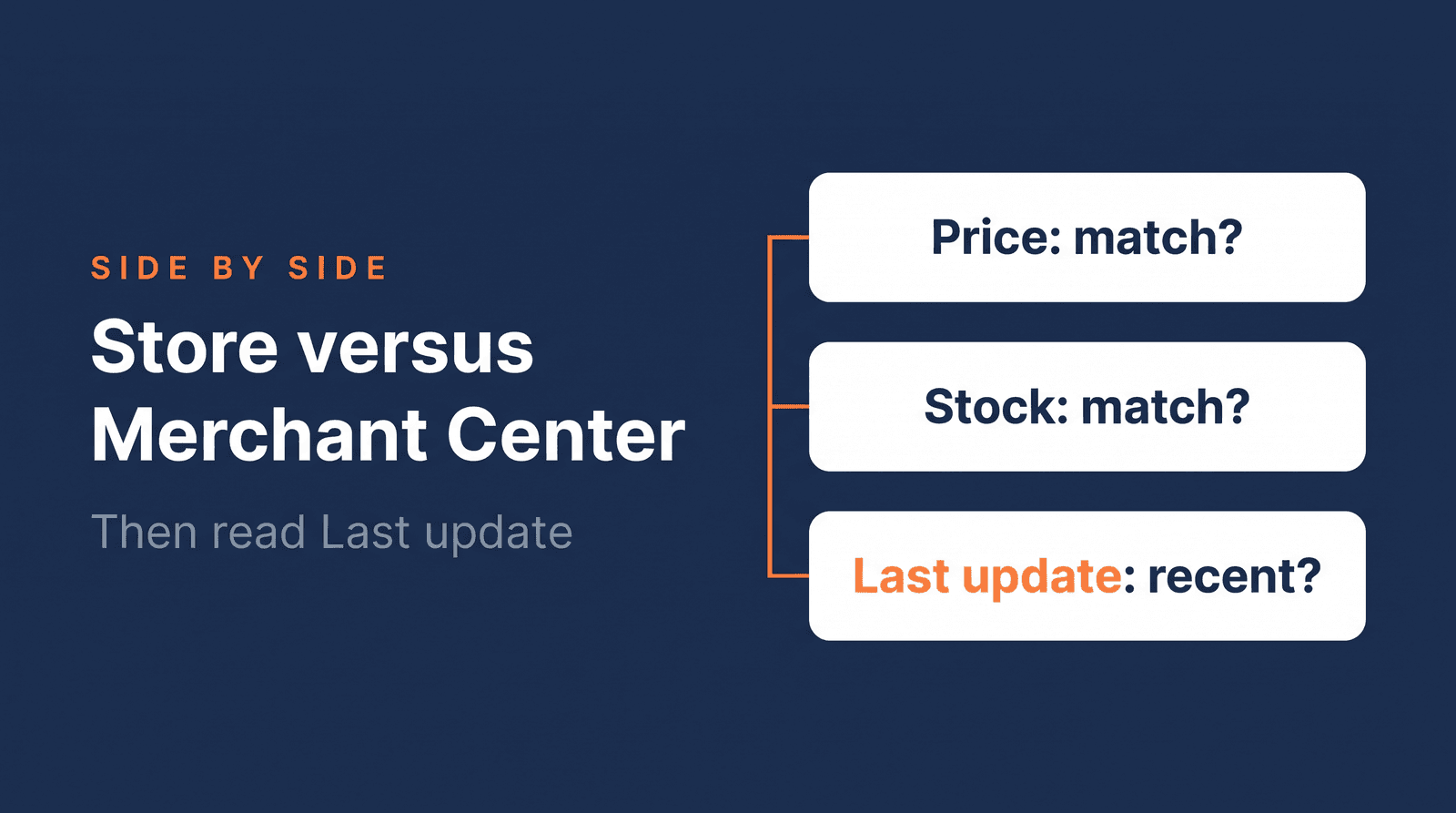
- Your store. Note the price, the sale price and the stock status on the product page, for the exact variant.
- Merchant Center. Open Products and go to the All products tab. Menu names shift between versions of Merchant Center, so look for the table of your products. Find the product and check the price, sale price and availability. Then look at the Last update column, which Google describes as "When your product was last updated."
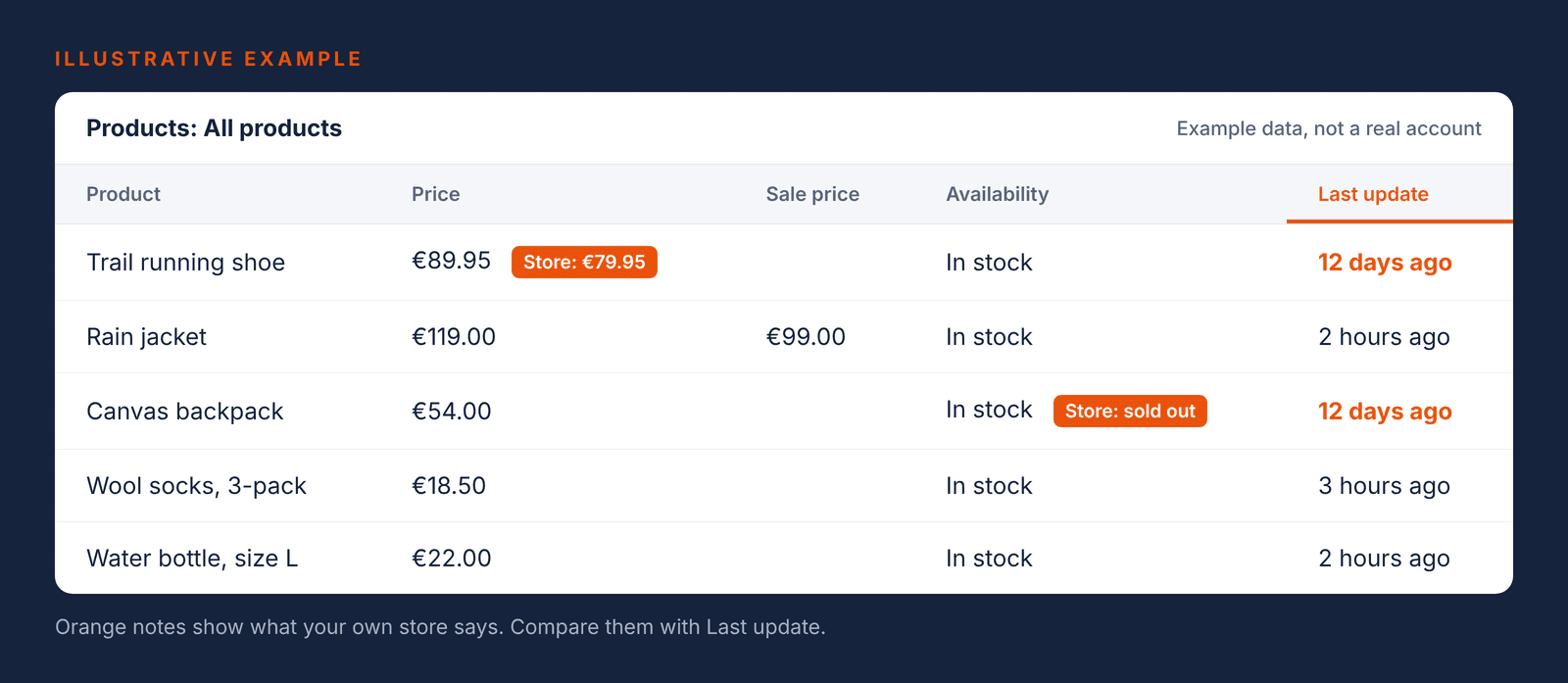
Now read the result. If the store and Merchant Center agree, and Last update is recent, that product is fine. The red flag is a mismatch: your store says €79.95 and in stock, Merchant Center still says €89.95 and out of stock, and Last update is older than your own feed schedule.
Judge that against your own schedule, not against a fixed number of hours. If your feed runs every hour and a product you changed three days ago still shows the old price, something is wrong. If it runs once a day, give it a day.
A mismatch does not prove the Content API is the cause. It proves your data stream is not current, which is the thing you need to know, and the thing you can show your provider.
What this can look like in one week
Here is an illustrative scenario, not a client case. Take a store with 500 products. In a normal week, 40 products change price and 25 sell out at some point. That makes 65 products where the data in Merchant Center has to change this week.
If the updates behind them fail now and then, those 65 products have a higher chance of carrying an out-of-date status. Not all of them will be wrong, and Google's automatic updates may catch some. The damage lands on the ones that slip through: a promotion priced wrong, a sold-out product that keeps collecting clicks, a restocked product that stays hidden. The risk sits on the products that move the most, which is exactly where you do not want old data.
Which route are you on?
How your products reach Merchant Center decides who has to act, and what you check.
| Your route | Who handles it | What you check |
|---|---|---|
| The official app of your ecommerce platform | Your platform | Has the platform confirmed the move to the Merchant API? Do your products show a recent Last update? |
| A plugin or integration you installed | The plugin developer | Does it use the Merchant API now? Ask in writing, then run the check above. |
| A third-party feed tool that pushes data to Merchant Center | The tool provider | Do your changes arrive? Ask the provider to confirm. |
| A feed URL that Google fetches on a schedule (Product Feed Manager, the plugin I built, works this way) | You, in Merchant Center | When was the feed last fetched, and did the fetch succeed? |
| A file or Google Sheet you upload | You | Is the upload scheduled, and did the last one succeed? |
| A custom integration built by a developer | Your developer | Does the code still call the old Content API? |
Google says custom integrations "must update your applications to call the Merchant API." For the Google & YouTube app on Shopify, Google says the migration "will be handled by Google."
The last three rows differ. In my reading, Google's shutdown notices are about software that calls the Content API. A feed URL that Google fetches itself, or a file you upload, is not that kind of connection. They are not the target of the shutdown, but they can still fail in their own ways, such as a schedule that stopped running or a fetch that errors. The freshness check catches those too.
The "Content API" label, and the email you may not need
In Merchant Center, a data source can show "Content API" as its source. That does not prove your connection is still on the old API. Google says Content API data sources "may still appear in Merchant Center during the transition to Merchant API," and that these instances are "expected and require no action from you."
So the label is not a test. It can sit on a working connection, and it cannot tell you whether your data is current. The Last update check can.
The same goes for Google's email asking you to migrate or request an extension. If you use a feed URL, a file or a Google Sheet, you are probably not who it was written for. Run the check. If your data is fresh, you have your answer.
If the check fails
Start with one written question to whoever supplies the connection, your platform, plugin developer, feed tool provider or developer: "Does the integration that sends my products to Merchant Center use the Merchant API, and when did it last send my products successfully?" A clear answer takes them two minutes. A vague answer is information too.
Providers can ask Google for an extension, but Google's documentation says extensions do not reach past the planned early 2027 shutdown. That is a question for your provider, not something to plan your store around. If the answer shows that a feed tool is the weak link, feed software versus a specialist helps you decide what to do next.
While it gets sorted out, there is a bridge. A feed URL that Google fetches on a schedule, or a scheduled upload, keeps product data moving without depending on the old connection. That is my practice, not a Google recommendation, and it needs care: add it as a second source only after checking that it will not duplicate your products.
If you would rather have someone else run all of this, the 30-day Google Shopping Fix covers your feed and your Merchant Center setup.
Test the data, not the plumbing
You do not need to understand APIs to protect your Shopping budget. You need five products, two screens and about five minutes of comparison, repeated whenever something in your setup changes.
If the check shows a mismatch and you are not sure where it comes from, send me your feed URL through the free Feed Review. If you run Shopping ads, you get the 5 biggest fixes in your feed, in plain language, within 3 business days.
Frequently asked questions
Why is my Google Shopping feed not updating?
Usually the connection between your store and Merchant Center is failing, fully or only now and then. Compare a few products that changed recently with their Merchant Center entry and read the Last update column. If the two disagree and Last update is older than your feed schedule, the data is not arriving, and your platform, plugin or feed tool provider is the first place to ask.
How do I get Google to refresh my product data?
Open your data source in Merchant Center, under Settings and then Data sources, and use the Update button, which Google says triggers a manual refresh. If a manual refresh works but your scheduled updates do not, the problem is the schedule or the connection, not your product data. Menu names differ between versions of Merchant Center.
Where did my Google Shopping listing go?
Google says all products expire from your Merchant Center account 30 days after the last refresh, so a product can drop out when updates stop arriving. Also check the Status and Visibility columns in your products table: a product can be approved and still not visible because of another issue.
I got Google's email about migrating to the Merchant API, but I use a feed URL. Do I need to migrate?
Probably not. Google's shutdown notices are about software that calls the Content API, and a feed URL that Google fetches itself is not that kind of connection. Run the freshness check to be sure: if your products show recent updates and matching prices, your data is arriving.
About the author

Auke Jongbloed
Auke Jongbloed is a Google Shopping and product feed specialist. He builds a product feed manager for WooCommerce, and works directly with ecommerce store owners on Google Shopping and Performance Max setups via aukemarketing.com. Follow him on LinkedIn for more on Google Shopping and feed strategy.
Free feed review
Get the 5 biggest fixes for your Shopping feed
Send me your store and I look at your product feed and Merchant Center. Within 3 business days you get the 5 biggest fixes, in plain language. Free, 5 reviews per month, no commitment.
Get your free feed review