Google Shopping Management: Fixed Project, Monthly Retainer, or Do It Yourself?
This autumn I reviewed a store whose owner told me Merchant Center was all green. When I compared the feed with the live store, 94 products that were for sale on the site were missing from the feed. Another 19 were listed as out of stock, while you could simply buy them. Nothing in Merchant Center pointed to any of it.
That is the real question behind "who should manage my Google Shopping?" It isn't agency versus freelancer. It's which part of the work happens once, and which part never stops.
The short answer: use a fixed project to get the structure of your feed right once. Then decide who watches it every week, you or someone you pay monthly.
This comparison is for store owners who run Google Shopping or Performance Max with real budget behind it, and who want help or want to know whether they need it.
Key insights
- A Shopping feed holds two kinds of work: a structure you set up once, and upkeep that never stops. Pick the route that matches the work you actually have.
- The upkeep is built into Merchant Center. Products from a feed expire 30 days after the last refresh, and Google crawls your pages for price and availability.
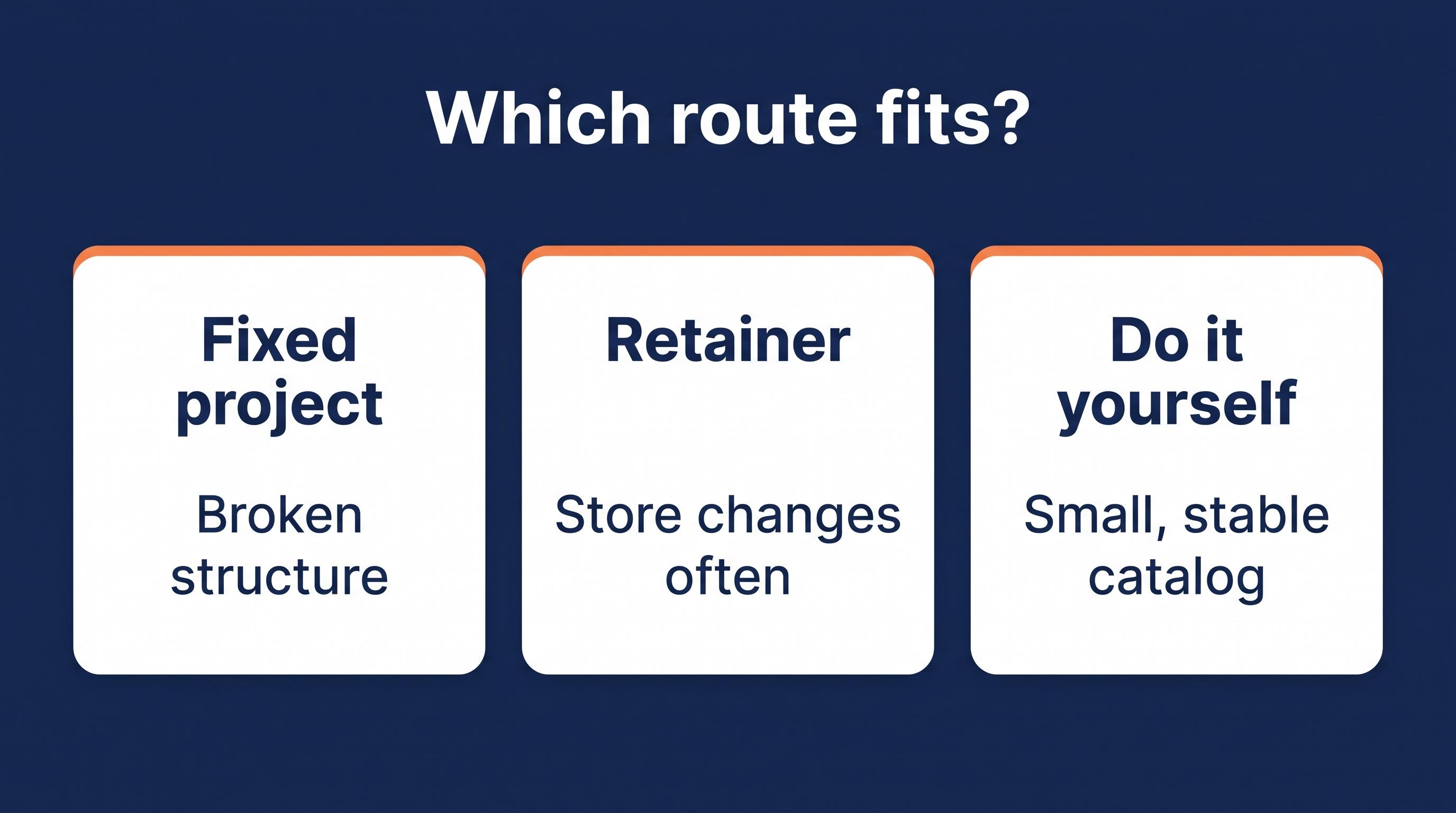
- A fixed project fits a structure that is broken or half built. A retainer fits a sound structure in a store that changes often. Doing it yourself fits a small, stable catalog with a weekly check.
- Whatever you choose: stay admin of your own Merchant Center, get the work in writing and know the total cost, fees included.
The three routes side by side
| Fixed project | Monthly retainer | Do it yourself | |
|---|---|---|---|
| What you pay | One price. From under $100 on a freelance marketplace to around $1,800 for an audit plus implementation of the top fixes. My Shopping Fix: €1,500 excl. VAT for 30 days | Every month. Managed feed services start around $750 a month. Campaign management is often 10 to 20% of ad spend, frequently with a minimum fee | Your time. Merchant Center is free. Feed tools range from free plans to around $65 a month at entry level |
| When you see results | Within weeks. In my project the first fixes go live by day 14 | Month by month. The value is in what doesn't go wrong | Depends on the hours you put in |
| What it fixes | The structure: data source, attribute mapping, categories, variants, identifiers, Merchant Center settings | What changes: new disapprovals, new products, price and stock drift. Campaign retainers also handle bids and budgets | What you can diagnose yourself |
| What it leaves | Whatever changes after the project ends | A broken structure, if nobody is asked to rebuild it | Structural problems you can't see |
| Who keeps the accounts | You. A good specialist works with temporary access | You should. Get it in writing | You |
| Best for | A feed that was set up once and never finished, with real spend behind it | A store that changes often, with a sound structure and nobody in-house to watch it | A small, stable catalog and a fixed weekly slot to check Merchant Center |
Prices checked November 2026. Ranges per type of provider, not quotes.
Why the feed decides: one part you set once, one part that never stops
Every Shopping feed holds two kinds of work: a structure you set up once, and upkeep that never stops, because your store changes every week and Google keeps checking.
| Set it up once | Watch it continuously | What you can do yourself |
|---|---|---|
| The data source and how it reaches Merchant Center | Updates that keep arriving, and Google's own changes to how data gets in | Tell whoever manages the feed when you change platform, plugins or apps |
| Attribute mapping, Google category, product type | New products arriving complete | Fill in new products completely: brand, GTIN, variants |
| Variant grouping, GTIN and brand | Price and stock matching the product page, especially around sales | Check the Needs attention tab in Merchant Center once a week |
| Custom label setup, shipping and return settings | New disapprovals and warnings, products expiring | Announce sales and site changes before they go live |
| Your choice on automatic item updates | Site or plugin changes that alter what your pages tell Google |
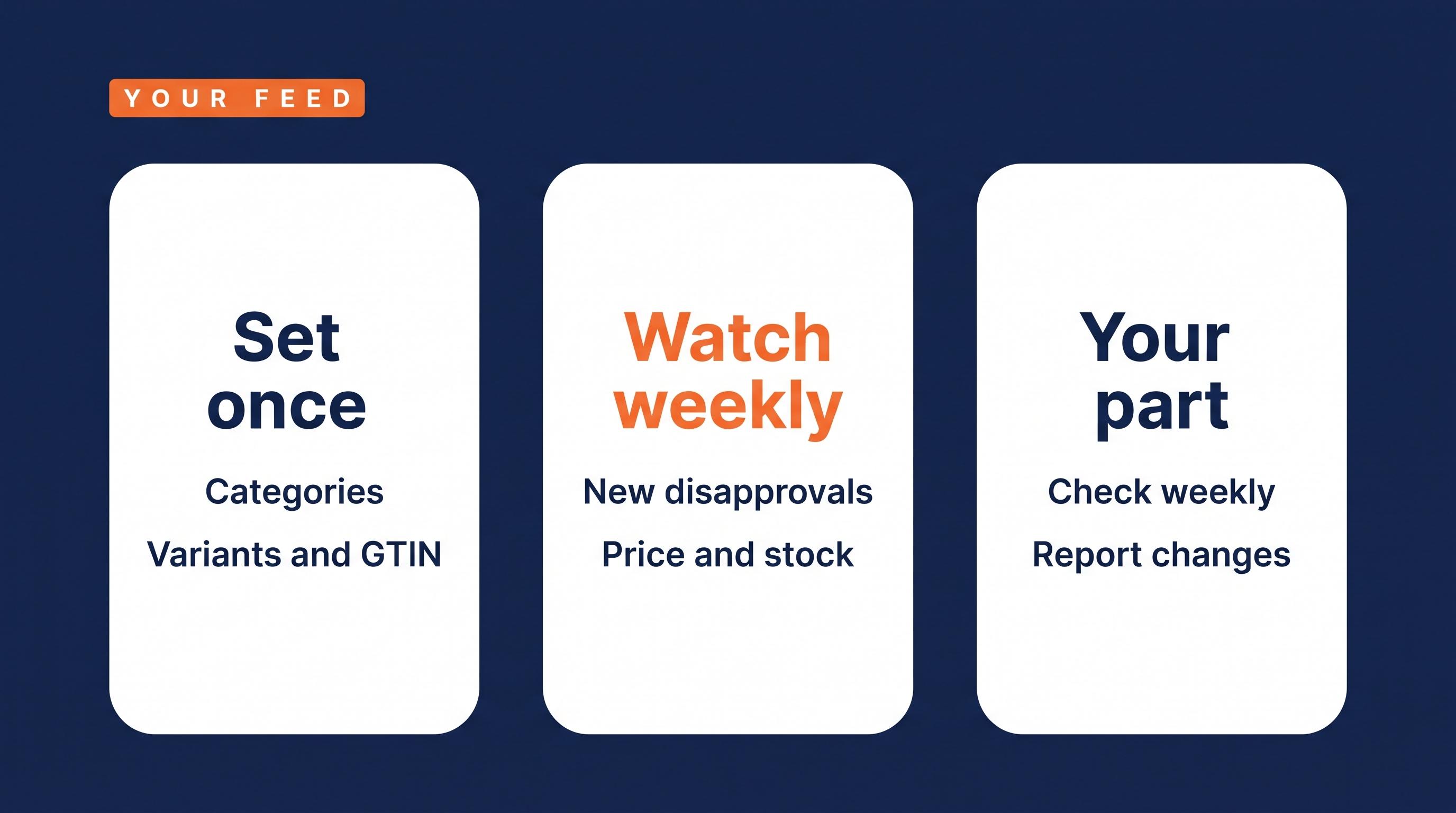
The middle column isn't a theory. Google builds it into Merchant Center:
- Products from a feed expire 30 days after the last refresh (Google).
- Google crawls your landing pages for price and availability. Large changes to your page structure can lead to disapprovals when product details can no longer be verified (Google).
- Automatic item updates can correct small price and stock mismatches, but Google says they aren't a replacement for regular updates and may not work for products whose price or availability changes more than once a day (Google).
- Google sunset the Content API for Shopping on August 18, 2026. Since September 1, requests without an extension can fail, and it shuts down completely in early 2027 (Google). Check how your data gets in in five minutes.
So a feed is never "done". A one-time setup, a plugin export and occasional support are not feed management. Someone has to own the middle column.
What that looks like in real stores
These are anonymized observations from feed reviews I did in October 2026.
Everything green, products gone. The store from the opening. I never found out why those products were missing or mislabeled. What matters is that nobody was comparing the feed with the shop.
The page and the feed disagree. In another store, on 64 of 65 product pages the product data in the page code passed a price 3% lower than both the feed and the price on screen: a discount for one payment method. The feed was right. Something on the site was not, and we didn't pin down which plugin set that price. Google asks that your product data and landing page show the same information (Google). If the prices you submit and the price markup on your pages differ too often, automatic item updates stop working and the whole account is at risk (Google). A plugin, an app or a theme setting can change what Google reads without anyone touching the feed.
Set once, never finished. A third store had about 150 products that were really sizes or colors of the same items, listed as separate products with the size mostly only in the title. Around 30 had a Google category that was too broad or simply wrong. Price and stock matched the shop on every product. In my experience this kind of feed raises few errors and still leaves performance on the table.
The first two need someone who checks regularly. The third needs someone to finish the job once.
Route 1: a fixed project
A fixed project has a scope, an end date and one price. In a good one, someone goes through the whole chain once, from your product data to the feed to Merchant Center, fixes what is broken and finishes what was half built.
My own version is the Shopping Fix: 30 days, €1,500 excl. VAT. I fix the product data and Merchant Center issues that hold your products back, set up a product structure your campaigns can steer on, and check where it leaks further. I guarantee what I control, not Google's decisions, so no promise that every product is allowed or that a suspended account comes back.
It fits when the problem sits mainly in your product data and Merchant Center, Shopping runs with real budget behind it, and you have one Merchant Center account, one country and one main data source. Several accounts or countries is a bigger job than a standard 30-day project.
It doesn't fit when:
- your feed is clean and the structure is right. You need small improvements, not a project, and a good specialist tells you so.
- you spend less than about €500 a month on Shopping and your account isn't suspended. The project would cost more than three months of ad budget.
- the problem is in your bids, your budget or your website, or Google doesn't allow your products.
- an agency keeps running your feed and ads with no clear split of who does what.
Verdict: choose a fixed project when the structure is the problem. After it ends, someone still has to watch.
Route 2: a monthly retainer
Two different things hide under the word retainer. Campaign management covers bids, budgets and ads, and is often priced as a share of your ad spend. Feed care means watching the data: new disapprovals, new products, price and stock that drift from the page. A retainer where someone takes a look at the feed once a month, without monitoring, priorities or a report, can run for a long time while the feed stays structurally wrong.
It's wasted money when it has to maintain a structure that was never right, or when nobody wrote down what happens each week and each month.
It's the right choice when the structure is sound, your store changes often (new products, sales, price changes, site updates) and nobody in-house checks Merchant Center every week. In my view a campaign retainer only starts to pay off from around €3,000 a month in ad spend. For feed care, the agreement should say what gets checked every week, how fast a new disapproval is picked up and what the monthly report shows.
Verdict: choose a retainer when the structure is sound and your store changes faster than you can watch it.
Route 3: doing it yourself
Doing it yourself works for a small, stable catalog with a feed that is already set up well, as long as you block a fixed moment every week. Merchant Center is free (Google), and its Needs attention tab lists the issues per product (Google). My guide to disapproved products in Merchant Center covers the six causes I see most. If you buy a feed tool, test it for one month with a clear goal.
The weekly routine: look for new issues, check how many products are approved out of the total, and compare a few products with the live page after a sale or a site change. With the Prioritized fixes toggle on, Google may hide issues it sees as low impact, so turn it off now and then (Google). And make sure new products go in complete.
It goes wrong when you fix symptoms in Merchant Center while the source stays wrong. In my experience the problem comes back as soon as new products, price changes or stock updates come in. It also goes wrong when the structure itself is broken, because that is hard to see from the inside.
Verdict: choose doing it yourself when the structure is sound and you'll keep the weekly slot. If you can't tell whether it's sound, find that out first.
Who owns the question "is the feed right today?"
Ask who manages the feed and you often get several answers at once. The owner thinks the plugin handles it. The plugin maker assumes the store sends good data. The agency thinks Google Ads takes care of the feed. Nobody owns the one question that matters: is the feed right today, and why?
In one review the custom labels in Merchant Center came from a second data source, probably set up by the person who ran the campaigns, and the product count in Merchant Center didn't match the feed. Two parties fed the same account. That's fine, as long as someone owns the whole picture.
Whichever route you choose, keep the keys. Stay admin of your own Merchant Center and give the people who help you standard access: they can work in the account, but can't manage other users (Google). Then write down who checks the feed every week.
Five questions to ask before you sign
The first three come from Google's own guide for advertisers who work with a third party, and its rules for partners who manage Google advertising.
- What exactly happens every week and every month? Get the agreement in writing (Google).
- What is the total cost, fees included? If a partner who manages your Google advertising charges a separate fee, Google requires them to tell you in writing before your first purchase and to show it on every invoice (Google).
- Will I see the numbers myself? Where a partner reports on your Google advertising, the report must show costs, clicks and impressions, with Google's charges separate from their fee. Or they let you sign in to your own account (Google).
- Do the accounts stay mine? You stay admin, they get the access they need, and it's removed when the work ends.
- Who checks the feed every week, and what happens when something breaks? If the answer is vague, the feed is nobody's job.
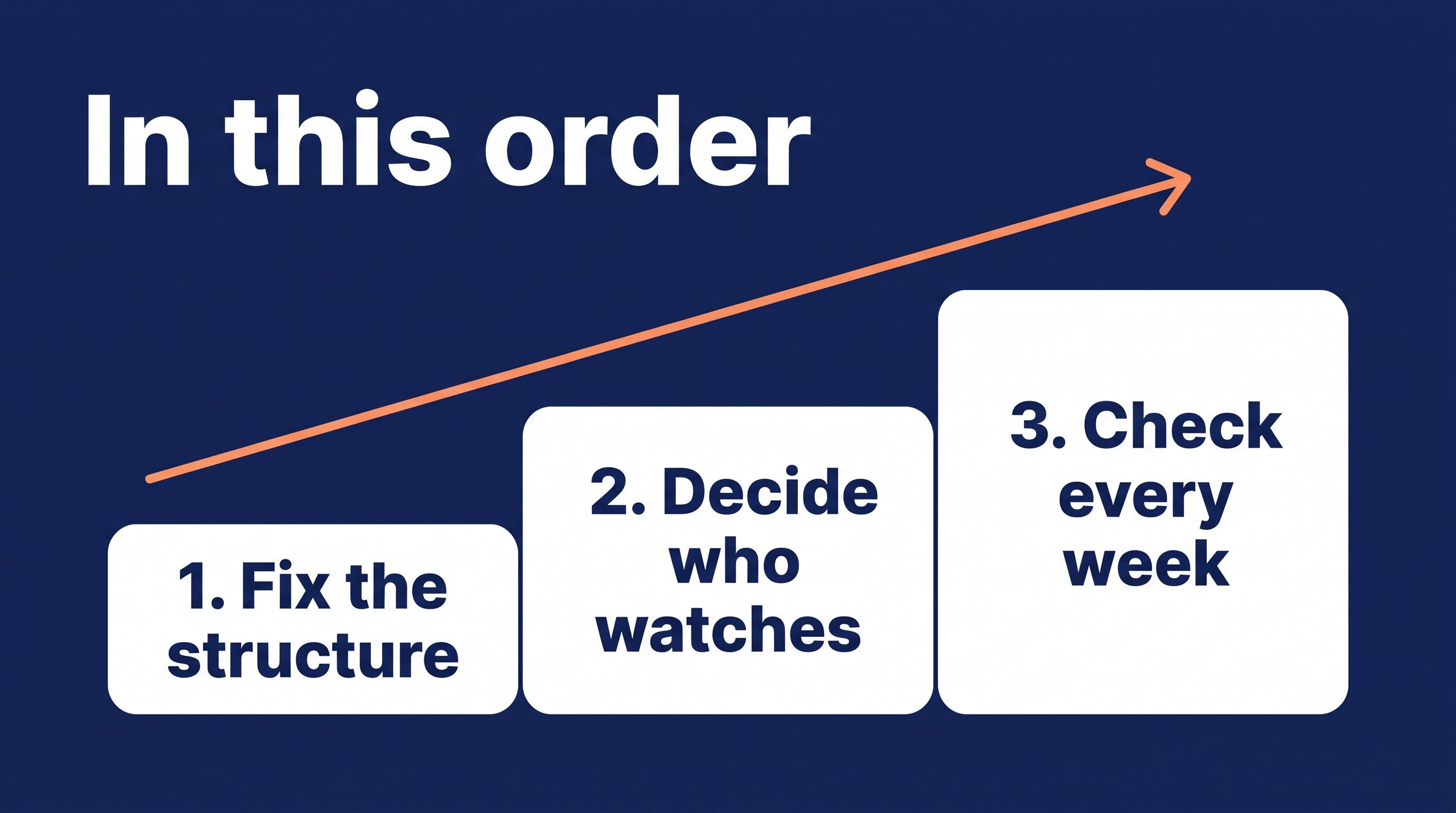
Fix the structure once, then decide who watches it
A broken structure needs fixing once. A sound structure needs someone who watches it: you, with a fixed weekly slot, or someone you pay, with the work in writing.
Not sure which of the two your feed is? That's what my free Feed Review is for. If you run Google Shopping, send me your feed and within three business days you get the three to five biggest fixes and one honest next step. Sometimes that step is: you don't need a project.
Sources
Google pages checked on 15 November 2026. Google changes these pages, so check the date before you rely on a detail. Price ranges are based on public price pages of feed tools, managed feed services and independent feed specialists, freelance marketplace listings and 2026 agency pricing guides, checked the same week.
- Expiration date [expiration_date]
- Tips to help your products stay approved
- Allow Merchant Center to update product information automatically
- How to fix: Insufficient match of microdata price information
- Content API for Shopping: Deprecation and sunset
- The Needs attention tab
- Issues in Merchant Center
- Manage people and access levels in Merchant Center
- Advertiser guide: Working with third parties
- Transparency requirements
- Reach millions of shoppers on Google for free
Frequently asked questions
How much does Google Shopping cost? Merchant Center itself is free. The ads are paid through Google Ads, on a budget you set. Help comes on top of that: a fixed project runs from under $100 on a freelance marketplace to around $1,800 for an audit with implementation, managed feed services start around $750 a month, and campaign management is often 10 to 20% of ad spend.
What is a retainer in marketing? A retainer is a recurring monthly fee for ongoing work, either a flat amount or a share of your ad spend. For Google Shopping it usually means one of two things: campaign management (bids, budgets, ads) or feed care (watching your product data and Merchant Center). A retainer only works when the agreement says what happens every week and every month.
What is the average monthly retainer fee for a marketing agency? There is no reliable single average. For Google Ads management, 2026 agency pricing guides put typical fees at 10 to 20% of monthly ad spend, often with a minimum, or a flat fee of roughly $1,500 to $10,000 a month. Treat those as ranges: the scope behind the fee matters more than the number.
What is the difference between a freelancer and an agency? A freelancer is one person doing the work. An agency is a team, usually with an account manager as your contact. For your Shopping feed, the more useful question is the route: does the deal fix the structure once, or watch the data every week, and does it cover the feed at all? You can find both routes with freelancers and with agencies.
What's your go-to tool for managing Google Shopping feeds? It depends on your platform and catalog. Merchant Center is free, and feed tools range from free plans to around $65 a month at entry level. I build feed software myself, and even with a good tool someone still has to decide what the feed should say and check the Needs attention tab every week.
About the author

Auke Jongbloed
Auke Jongbloed is a Google Shopping and product feed specialist. He builds a product feed manager for WooCommerce, and works directly with ecommerce store owners on Google Shopping and Performance Max setups via aukemarketing.com. Follow him on LinkedIn for more on Google Shopping and feed strategy.
Free feed review
Get the 5 biggest fixes for your Shopping feed
Send me your store and I look at your product feed and Merchant Center. Within 3 business days you get the 5 biggest fixes, in plain language. Free, 5 reviews per month, no commitment.
Get your free feed review