Performance Max for Ecommerce: Feed, Structure, and Bidding (2026)
Most guides to Performance Max start with campaign setup. Bidding strategy, asset groups, audience signals. That's the wrong starting point.
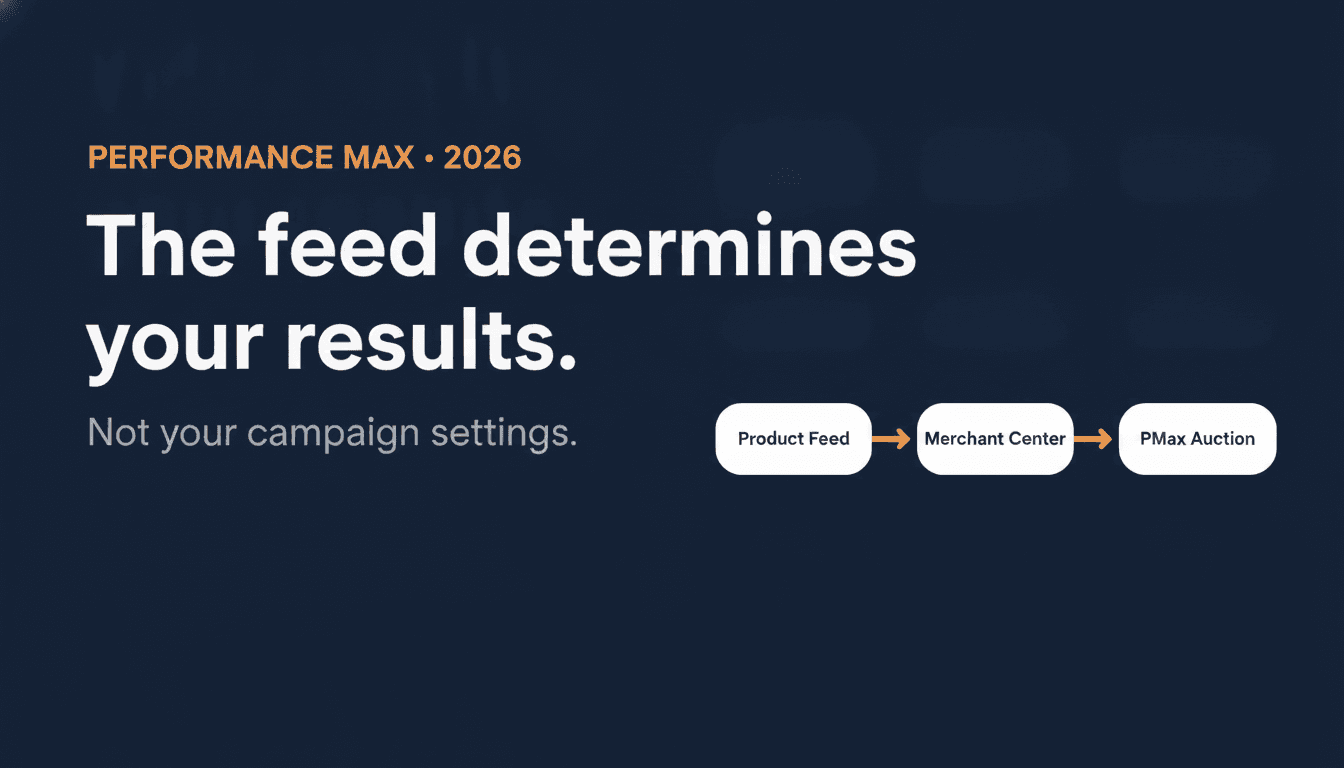
PMax is an automated system. What you get out depends entirely on what you put in. And for ecommerce, the primary input isn't your creative assets or your audience signals. It's your product feed.
In one home & garden account, I spent six months tweaking bids and structures and never broke past a 2.8x ROAS. When we rebuilt the feed, fixed GTINs, rewrote titles, and added margin-based custom labels, Shopping and PMax ROAS climbed above 5x within 60 days, with impression share on top SKUs more than doubling. Bidding hadn't changed; the feed had.
That's the pattern across almost every audit: messy feeds cap results, clean feeds unlock them. Once the product data is right, Smart Bidding can usually get you the incremental gains. When it isn't, no amount of bid strategy experimentation moves the needle in a durable way.
This guide covers the full chain: what PMax actually works from, what changed in 2026, how to prepare your feed, how to structure your campaigns, and what to fix when results plateau. In that order.
What Performance Max actually works from
Performance Max is Google's automated campaign type that serves ads across all Google inventory from a single campaign: Search, YouTube, Display, Discover, Gmail, and Maps. For ecommerce, Shopping placements run through the Search channel using your Merchant Center product feed. They are not a separate channel in PMax's reporting.
Shopping is where most ecommerce conversions come from. And Shopping is driven almost entirely by your product feed, not by your creative assets or your bid settings.
The chain looks like this:
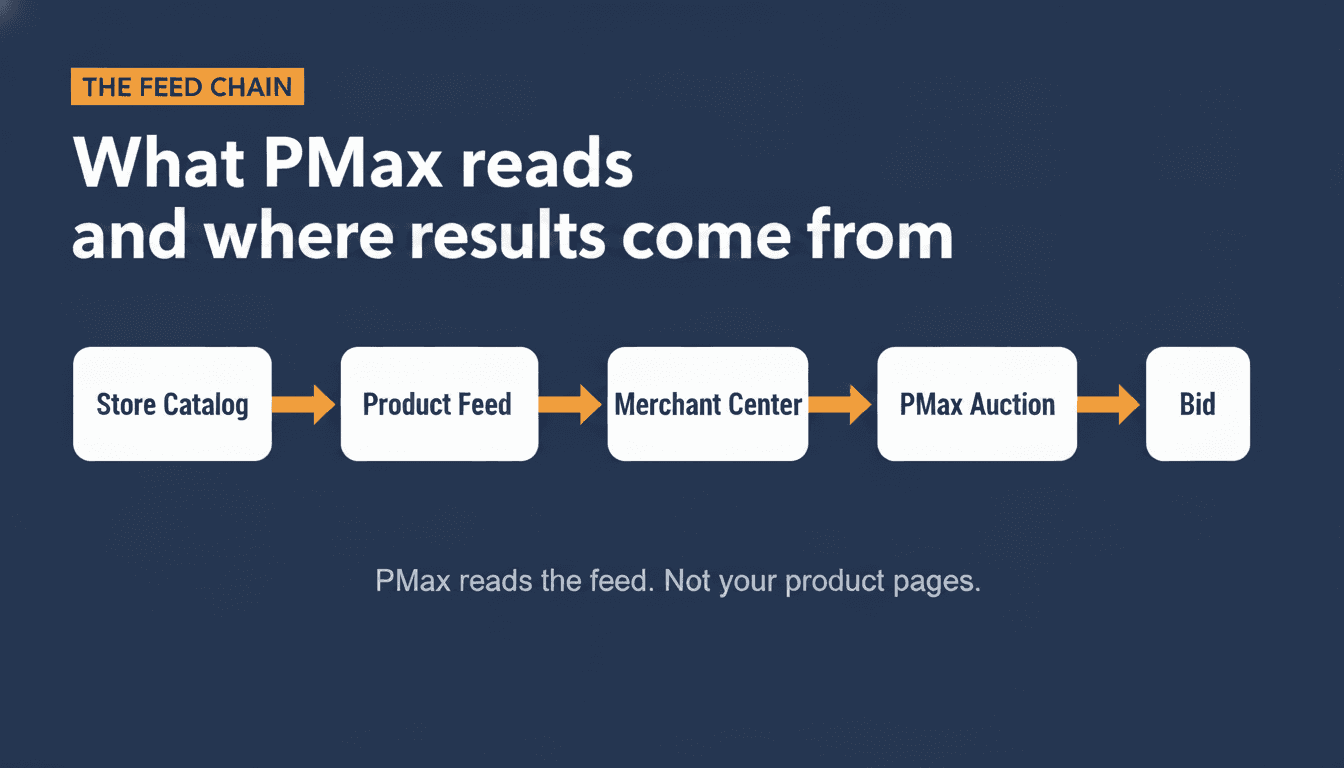
Your store catalog → product feed → Google Merchant Center → PMax auction → bid
PMax doesn't read your product pages. It reads your feed. The quality of your titles, the depth of your product type taxonomy, the presence of GTINs, the structure of your custom labels: these determine which queries your products match, how confidently Google bids, and how much of your budget goes to Shopping versus Display and YouTube.
A common misconception: "I'll fix the feed later, let me get the campaign running first." This gets it backwards. A weak feed forces PMax to fall back on Display and YouTube to spend your budget, because Shopping placements require product data Google can actually match to queries. When you see 60%+ of your PMax budget going to Display, that's almost always a feed signal problem, not a bidding problem.
One prerequisite before any feed work: run a Merchant Center diagnostics check. Disapprovals block Shopping placements regardless of feed quality, and the Merchant Center Error Decoder has the cause and fix for each one. A store with perfect titles and complete GTINs still won't show in Shopping if a significant share of its products are disapproved in Merchant Center. Clear the disapprovals first, then optimize the feed.
If you're spending under €1,000/month or consistently below 30 conversions/month, Standard Shopping will serve you better than PMax right now. The Google Shopping Guide covers the Standard Shopping setup in full. This guide will still be useful when you get there. The feed work applies to both campaign types.
The four feed fields that determine PMax performance
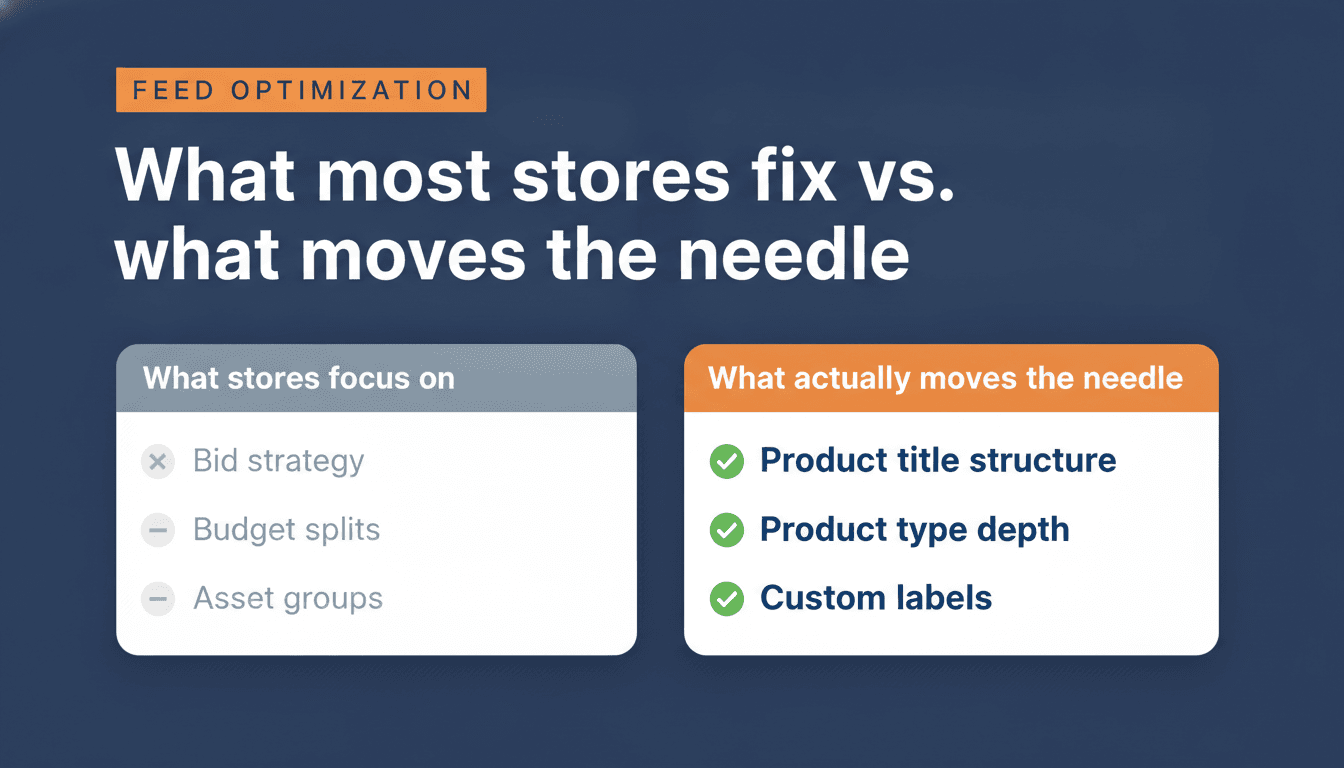
In auditing stores since 2023, four fields account for the majority of feed-driven performance gaps. Fix these, and clear any Merchant Center disapprovals, before touching campaign settings.
1. Product title
The product title is the single most important field in your feed. Google uses it to match your product to search queries. A bad title means wrong matches, low impressions, and wasted spend.
The most common error: sending your website product title directly into the feed without modification. Store titles are written for navigation and brand aesthetics, not for search intent.
A store title like "Chrome Pendant: Modern Collection" tells Google almost nothing about product type, room, style, or use case. In one lighting account we audited, titles like this correlated with Shopping/PMax hovering around a 2.3x ROAS, even after multiple bid and budget tweaks. Once I rewrote those titles into a structured format, "Ceiling Pendant Light Chrome – [Brand] – Industrial Style – E27 – for Kitchen Island", and pushed product_type deeper, ROAS climbed above 4x within six weeks and impression share on top SKUs more than doubled. The budget barely changed; the feed did.
The fix is a feed rule override, not editing your on-site titles. Rewriting site titles to match search intent would break your PDP layout and on-site SEO.
Two title structures work in PMax, depending on your category:
Category-led (most non-brand categories):
[Product Type] + [Brand] + [Primary Attribute] + [Size/Color/Gender] + [Use Case]
Brand-led (strong brand recognition, brand queries dominant):
[Brand] + [Product Type] + [Primary Attribute] + [Size/Color/Gender] + [Use Case]
Example using category-led:
- Before: "Chrome Pendant: Modern Collection"
- After: "Ceiling Pendant Light Chrome - Rohe - Industrial Style - E27 - for Kitchen Island"
Characters 70–150 carry PMax-specific intent ("for kitchen island", "for wet weather hiking"). Standard Shopping titles often stop well short of 70. PMax uses the full string. For a deeper look at title structure, how to apply it at scale, and how Google's automatic rewriting interacts with your original data, Google Shopping title optimization covers this in detail.
2. Product type depth
product_type is the field that tells Google's taxonomy where your product sits. Most stores set it one level deep: "Lighting" or "Pendants". That's not enough for PMax to match to specific intent.
Aim for 4–5 levels: Lighting > Ceiling Lights > Pendant Lights > Industrial Pendant > Kitchen Island Lighting
Pushing product_type to 4–5 levels deep, combined with better descriptions, consistently lifts PMax ROAS in audits where shallow product_type was the main bottleneck, often in the 10–30% range over the first month, even without touching titles.
In my own audits, accounts with decent titles but one-level product_type typically see around 15–20% ROAS improvement once product_type is pushed to full depth and left to learn, assuming conversion volume is already stable.
3. GTIN (Global Trade Item Number)
The GTIN is the barcode identifier. When it's present and correct, Google can match your product to specific search intent, including branded queries and model-number searches.
In my audits, missing GTINs typically suppress branded-query impressions by 40–60%. The algorithm won't confidently bid on branded queries for a product it can't verify.
If your products genuinely don't have GTINs (custom-made, private label), set identifier_exists: false in your feed. Don't leave the field blank. A blank GTIN reads as a data error, not an intentional absence.
4. Custom labels
Custom labels are feed fields you define. Google doesn't read their values. You use them to segment your products into campaign groups. This is how you control which products get which budgets and ROAS targets.
Typical segmentation:
margin_tier: high / medium / lowbest_seller: true / falsenew_arrival: true / falseseason: evergreen / summer / clearance
Custom labels are what make PMax campaign structure possible. Without them, all products go into one campaign and the algorithm defaults to bidding hardest on whatever converts most easily, usually your highest-volume products, which aren't necessarily your highest-margin ones. Everything else starves.
These four fields move the needle in most audits.
The re-indexing and re-optimization trap
This is the mistake that quietly undoes most feed optimization work.
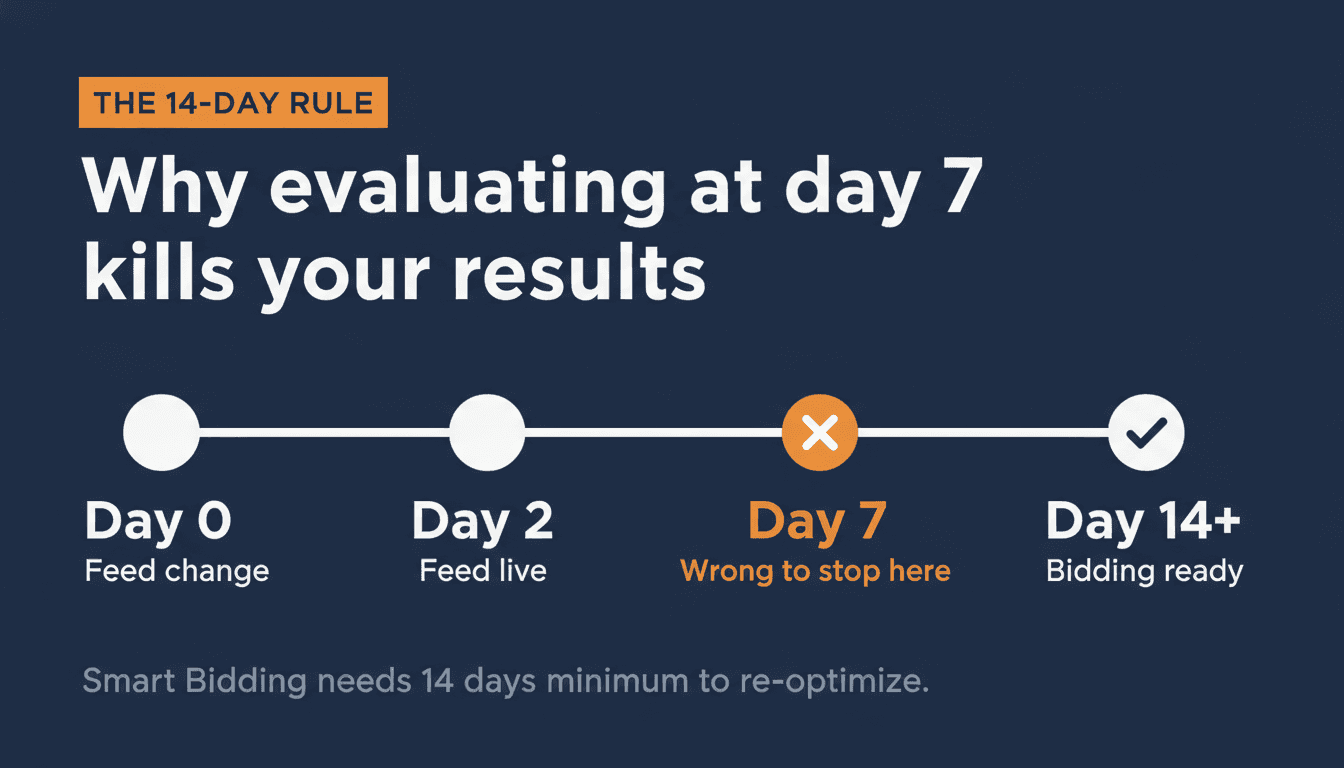
After fixing titles or product_type depth, merchants often see ROAS dip in the first few days. That's normal learning behaviour: feed data re-indexes quickly, but Smart Bidding can take 1–3 weeks to recalibrate to the new signals, especially in lower-volume accounts.
The trap is reacting too early. In one outdoor apparel store I audited, the team had been making structural changes almost every week, new titles, new asset groups, ROAS target tweaks, whenever ROAS looked flat around day 7. Over three months, their blended ROAS slid from 4.1x to 2.8x, even though their catalog and margins hadn't changed. We froze all structural edits for 14 days, kept budgets and targets stable, and ROAS climbed back above 3.8x as Smart Bidding finally exited learning.
That pattern is common in my audits: double-digit ROAS loss coming not from a bad underlying strategy, but from never giving the algorithm a full learning cycle to work with.
The fix: make all feed changes in one batch. Then don't touch anything for 14 days minimum. Evaluate after the conversion lag has cleared.
The 7-day evaluation window that gets recommended in a lot of PMax advice is wrong for this reason. Seven days isn't enough time for Smart Bidding to re-optimize. You're drawing conclusions mid-cycle, which in my experience is one of the most common reasons good feed work doesn't show up in the numbers.
How to structure a PMax campaign for your conversion volume
Once your feed is in order, campaign structure matters. But the structure has to match your conversion volume. PMax learns from conversions. Split the data too thin and the algorithm never exits the learning phase.
The conversion threshold
Each PMax campaign needs roughly 30–50 conversions per month to optimize properly. Below that, Google's Smart Bidding is effectively guessing. Don't create more campaigns than your conversion volume can support.
| Monthly conversions | Recommended structure |
|---|---|
| Under 30 | One campaign, full catalog. Focus entirely on feed quality. |
| 30–60 | One main campaign, optionally split hero products if each segment reaches 30+ conversions. |
| 60–150 | Segment by margin tier using custom labels. Two to three campaigns. |
| 150+ | Full segmentation: acquisition vs retention, hero vs standard vs clearance. |
These thresholds are practical guidelines. High-AOV stores, where each conversion carries more data weight, can often support segmentation at lower volume than the table suggests.
What to segment by
When you have the volume to split, segment by business objective, not by product category.
A product with 60% margin and a product at 10% margin cannot share a ROAS target. In one campaign, the algorithm bids hardest on whatever converts most easily, usually your highest-volume products, which aren't necessarily your highest-margin ones. Separating by margin tier (using custom labels) lets you set a higher ROAS target for low-margin products and a lower target for high-margin products where you want volume.
The three segments that work at scale:
- Hero products: proven converters, high margin. Separate campaign, aggressive ROAS target.
- Standard catalog: the workhorse. One campaign, moderate ROAS target.
- Clearance / low-margin: separate campaign, different economics. You want to move stock, not build margin.
Asset groups, creative, and the feed-only decision
Your feed is still the foundation here. Asset groups control which products from your feed enter a given campaign segment, and what creative Google uses alongside those products. Asset groups in PMax are not simply the equivalent of ad groups. They contain both the creative assets (headlines, descriptions, images, video) and the listing group logic that determines which products from your feed are included. Structure your asset groups to reflect both dimensions: what you're advertising and which products back it.
Feed-only vs. full asset groups
For most ecommerce stores starting with PMax, feed-only asset groups outperform full asset groups in the first 4–8 weeks.
Feed-only means no uploaded creative assets: no headlines, descriptions, images, or video. This focuses your campaign primarily on Shopping and Dynamic Remarketing placements. One caveat: feed-only does not fully exclude YouTube. Google can still auto-generate video from your feed images and serve it on YouTube even in feed-only mode. If you want to minimize YouTube spend early on, monitor the channel performance report in the Insights tab.
Adding creative assets from day one gives Google permission to spend on Display and YouTube while it's still learning. If you don't have strong creative for those placements, you're paying for impressions that don't convert. Let Shopping run clean first, establish a conversion baseline, then layer in creative assets once Shopping performance is stable.
Auto-generated vs. uploaded video
PMax can auto-generate video from your product images and feed data if you don't supply your own. Auto-generated video rarely performs well. It's typically low-quality and generic, and drives poor engagement on YouTube placements. It's usually worth replacing with even a basic produced asset.
Uploaded video generally outperforms auto-generated when it's built for the placement: short (15–30 seconds), direct on the value proposition, with a clear visual hook in the first 3 seconds.
Creative refresh
A practical guideline: review creative performance every 8–12 weeks for Display and YouTube placements. If CTR on those channels is declining, refresh images or video before changing campaign structure.
Performance Max vs Standard Shopping: when to use each
This was a cleaner question in 2023. In 2026, with auction priority now based on Ad Rank rather than campaign type, the answer for most stores is both, structured so they don't compete for the same products. Which campaign wins a given auction still comes back to the feed: a well-optimized Standard Shopping campaign with strong product data can outbid a PMax campaign on the same SKU.
| Performance Max | Standard Shopping | |
|---|---|---|
| Query visibility | Limited (Insights tab only) | Full search term report |
| New product ramp | Slow (no historical data) | Faster (manual bids, immediate visibility) |
| Bid control | Algorithm-controlled | Manual CPC or Target ROAS |
| Channel reach | All Google inventory | Search + Shopping only |
| Creative testing | Yes (across channels) | No |
| Conversion volume needed | 30–50/month per campaign | None |
| Brand query control | Requires audience exclusion setup | Exact match keywords work cleanly |
Use PMax for: proven catalog with conversion history, full-funnel coverage, accounts with strong conversion volume.
Use Standard Shopping for: new product launches, high-value queries where you need search term data, brand keyword protection, accounts under 30 conversions/month.
The hybrid approach: run PMax on your core catalog and Standard Shopping in parallel for new arrivals and specific high-value query groups. Use product filters so the campaigns target different SKUs. Since PMax no longer automatically wins the auction, overlap is less of a structural problem than before, but clean separation is still easier to manage and measure.
A practical guideline: the hybrid approach makes most sense above roughly €5,000/month in ad spend, where you have the volume and budget to run both campaigns with meaningful data. High-AOV stores can often justify the split at lower total spend.
Performance Max budget, bidding, and the learning phase
Budget minimums
The practical minimum for a PMax campaign is around €30–50 per day (roughly €900–1,500 per month). Below that, the algorithm collects too few conversions to optimize reliably.
The more meaningful threshold than daily budget is monthly conversion frequency. A store spending €1,500/month with 40 monthly conversions will outperform one spending €3,000/month with 10. Budget enables data collection, conversion rate is what makes that data usable.
Smart Bidding targets
Start with a tROAS target based on your actual recent performance, not your goal. If your last 30-day ROAS was 4x and you set a tROAS target of 8x, Smart Bidding won't bid aggressively enough to generate the data it needs to optimize. Set the target at or slightly below recent actual performance, then raise it incrementally as the algorithm demonstrates it can sustain the target. A tROAS set too high is the most common reason a PMax campaign quietly stops spending altogether. Why your Google Ads campaign stops spending explains exactly how that throttle works.
For new campaigns with no conversion history, consider starting with Maximize Conversion Value (no tROAS target) for the first 30 days. This lets Smart Bidding collect data before you constrain it with a ROAS floor.
Learning phase
Every new PMax campaign, and every campaign after a structural change, enters a learning phase. During this period performance will appear unstable. ROAS swings are normal. The learning phase typically resolves within 1–2 weeks for accounts with adequate conversion volume.
What extends the learning phase: changing bid strategy, adjusting tROAS targets, editing asset groups, adding or removing products, or significant budget changes. Any structural change restarts the clock.
When results plateau
If PMax ROAS has been flat for 4+ weeks despite a clean feed and adequate conversion volume, check three things in order: (1) Channel allocation: if Display is over 40% of spend, the feed still isn't sending strong enough signals. (2) Audience exclusions: if you're not excluding customer match and remarketing lists, PMax is likely taking credit for existing customers. (3) tROAS target: if it's above recent actual ROAS, Smart Bidding is over-constrained and under-bidding on new traffic.
What changed in 2026, and why most PMax advice is already outdated
PMax looked different in 2023. Three changes since then affect how you should run it today.
Auction priority changed. PMax no longer automatically beats Standard Shopping in the auction. Since 2024, Ad Rank determines which ad serves. A well-optimized Standard Shopping campaign can now outrank a PMax campaign for the same product. This changes the hybrid approach: you're no longer forced to exclude products from Standard Shopping just because PMax exists. Structure determines competition, not campaign type.
Audience exclusions expanded. PMax now supports three types of audience exclusions: customer match lists, remarketing lists, and website visitor lists. This matters for brand protection. Without exclusions, PMax takes conversion credit for people already in your funnel, inflating ROAS while adding little incremental value. Set up all three exclusion types before running PMax alongside Search or Remarketing campaigns.
Search themes doubled and carry real weight. In 2025, Google doubled the search theme limit from 25 to 50 per asset group and clarified their function: search themes carry the same weight as phrase match and broad match keywords. They're not a soft hint to the algorithm. They're a direct targeting input. For niche products or long-tail intent that your feed titles don't explicitly cover, filling all 50 slots is one of the highest-leverage free optimizations available. For how search themes interact with your keyword campaigns and which wins a given auction, keyword match types for an online store has the full priority ladder.
AI Max is not just enhanced Search. AI Max, rolled out in 2025–2026, goes further than most coverage suggests. It includes AI-generated ad creative (headlines, descriptions, images), broader query matching that extends beyond your existing keyword and feed signals, and Shopping placements within Search results. If you're testing AI Max, treat it as a new campaign type rather than a setting tweak. Its creative and targeting behaviors require separate monitoring from standard PMax.
When Performance Max is not the right choice
PMax is not suitable for every situation. Knowing when not to use it saves budget.
Under €1,000/month ad spend. At this level, you don't have enough conversion volume to feed the algorithm. Standard Shopping gives you more control and better use of a limited budget. Wait until you're consistently hitting 30 conversions/month before adding PMax.
Dirty feed. If your product titles are unmodified website titles, your GTINs are missing, and your product_type is one level deep, PMax will spend your budget on Display and YouTube because it can't match confidently to Shopping queries. A PMax campaign on a weak feed wastes budget faster than Standard Shopping would. PMax has more channels to spend it on. Fix the feed first.
Brand-heavy account with no exclusions set. PMax takes credit for branded conversions if you don't exclude your brand terms via customer match, remarketing, and website visitor lists. Your ROAS looks excellent, but you're paying PMax to convert people who were already going to buy. Set up audience exclusions before running PMax alongside Search campaigns.
No conversion tracking in place. Smart Bidding is blind without accurate conversion data. If your conversion tracking is broken, duplicated, or tracking micro-conversions (page views, add-to-carts) instead of purchases, PMax will optimize for the wrong signal. Audit conversion tracking before launching.
Getting started: the right sequence
If you're setting up PMax for the first time, or resetting an underperforming campaign, do it in this order:
- Fix the feed first. Title structure, product_type depth, GTINs, custom labels. Make all changes in one batch, not one field at a time. On WooCommerce, WP Marketing Robot handles feed rules and title overrides directly from your store without requiring dev work.
- Wait 14 days before drawing any conclusions. Feed data re-indexes within hours. Smart Bidding re-optimization takes a minimum of 14 days. Making a change at day 5 because results look flat restarts that window. One batch, two weeks, then evaluate.
- Start one PMax campaign, feed-only, full catalog. No creative assets yet. Feed-only limits placements primarily to Shopping and Dynamic Remarketing, the highest-converting placements for most stores.
- Let it run 30 days without structural changes. Google needs conversion data before Smart Bidding can optimize. Resist the urge to adjust ROAS targets mid-flight.
- After 30+ conversions/month, evaluate segmentation. Does your margin structure warrant splitting campaigns? If conversion volume doesn't support two campaigns, keep one.
- Layer in creative assets once Shopping is stable. Images first. Video if you have produced assets. Auto-generated video rarely performs well enough to justify the Display spend it unlocks.
- Add Standard Shopping for new arrivals and brand-query protection in parallel. Use product filters so the campaigns don't compete for the same SKUs.
If your PMax campaign is running but you're not sure whether your feed is the bottleneck, the free feed review will tell you where the data chain is breaking down. I look at your feed and Merchant Center and send you the 5 biggest fixes within 3 business days, with specific fixes, not a generic report.
Frequently asked questions
Is Performance Max good for ecommerce?
Yes, when two conditions are met: your product feed is clean, and your monthly conversion volume is above 30 per campaign. Below that threshold, Smart Bidding is effectively guessing. With a weak feed, PMax defaults to Display and YouTube to spend your budget, because it can't match confidently to Shopping queries. Fix the feed and build conversion volume first. PMax performs well for stores with proven catalogs and decent data. It underperforms when the foundation isn't there.
How do I set up Performance Max for ecommerce?
Start with your product feed, not with campaign settings. Fix your four key feed fields (title structure, product_type depth, GTINs, custom labels) in one batch before creating any campaign. Then create one feed-only PMax campaign covering your full catalog and leave it alone for 30 days. The detailed sequence is covered in the getting-started section above.
What is the difference between Performance Max and Standard Shopping?
Standard Shopping runs on Search and Shopping placements only, gives you full search term visibility, and lets you set bids per product or product group. Performance Max runs across all Google inventory, uses Smart Bidding with no manual bid control, and limits query visibility to the Insights tab. PMax has broader reach and handles upper-funnel placements. Standard Shopping gives you more control and transparency. Since 2024, Ad Rank determines which ad serves when both campaigns are active, Standard Shopping can now outrank PMax for the same product if it has a higher Ad Rank. Most well-run accounts above €5,000/month in ad spend run both in parallel.
How much budget do I need for Performance Max?
A practical minimum is around €30–50 per day (roughly €900–1,500 per month). Below that, the algorithm collects too few conversions to optimize. The more meaningful number is conversion frequency: 30 conversions per month per campaign is the floor for Smart Bidding to function reliably. A store spending €1,500/month with 40 monthly conversions will outperform one spending €3,000/month with 10. Budget enables data collection, conversion rate is what makes it useful.
Why is my Performance Max campaign not spending?
Three common causes. First: learning phase. Normal in the first two weeks. Don't increase budget or change settings during this period. Second: feed disapprovals in Merchant Center. A feed with significant disapprovals restricts Shopping placements. Check Merchant Center diagnostics before touching campaign settings. Third: tROAS target set too high. If your target is higher than your recent actual ROAS, Smart Bidding won't bid aggressively enough to spend. Set tROAS based on your last 30-day actual performance, not your goal.
Should I use Performance Max or Standard Shopping in 2026?
Both. Run PMax on your proven core catalog. Run Standard Shopping for new products, brand-query control, and query groups where you need search term visibility. The hybrid approach is the default for accounts with enough spend to justify the split. A practical starting point is around €5,000/month, though high-AOV stores can run this structure at lower total spend. Use product filters so the campaigns target different SKUs and don't compete directly.
How do I optimize my product feed for Performance Max?
Start with four fields. (1) Product title: use a structured format appropriate to your category: category-led for most products ([Product Type] + [Brand] + [Primary Attribute] + [Size/Color/Gender] + [Use Case]), brand-led for strong brand categories. Override via feed rules, not by editing on-site titles. Aim for 70–150 characters. (2) Product type: push to 4–5 taxonomy levels deep. (3) GTINs: add them where available; set identifier_exists: false for products that genuinely don't have them. Never leave the field blank. (4) Custom labels: segment by margin tier, best-seller status, and seasonality. Make all four changes in one batch and wait 14 days before evaluating results.
About the author

Auke Jongbloed
Auke Jongbloed is a Google Shopping and product feed specialist. He builds a product feed manager for WooCommerce, and works directly with ecommerce store owners on Google Shopping and Performance Max setups via aukemarketing.com. Follow him on LinkedIn for more on Google Shopping and feed strategy.
Free feed review
Get the 5 biggest fixes for your Shopping feed
Send me your store and I look at your product feed and Merchant Center. Within 3 business days you get the 5 biggest fixes, in plain language. Free, 5 reviews per month, no commitment.
Get your free feed review