Why Your Google Ads Campaign Stops Spending: The tROAS Target You Did Not Notice
Picture a store running around 15,000 euro a month through Google Ads. Last month that budget went out the door. This month it does not. No alert, no outage, just half of what was queued, and the campaign refuses to touch the rest. The strange part: the ROAS in the dashboard looks better than ever. Higher return, lower spend. On paper, a great month.
Except revenue is down. Not a little, a lot. And that is exactly the pattern I see again and again with stores that put real money through Google Ads.
This is the most common reason an e-commerce campaign stalls, and almost nobody spots it in time. You set your target ROAS too high. Not deliberately too high, but to the number you want to hit instead of the number you actually run. That single difference is enough to make Google turn off the tap.
This article explains what happens, why your dashboard misleads you, and what to do about it. And the part most guides skip: a target that is too high is often not the real cause at all, but a symptom of something sitting one layer deeper.
What a tROAS target actually is, and what it is not
Target ROAS is a Smart Bidding strategy. You give Google a return goal, say 400 percent, which means 4 euro of revenue for every euro of ad spend. Google then predicts, for every single search, how much a click is likely to be worth, and sets the bid accordingly. High expected value, high bid. Low expected value, low bid or no bid at all.
Here is the mistake almost everyone makes. People treat the target like a profit dial. Higher number means more profit, right? So when returns disappoint, they turn the target up.
It is not a profit dial. It is an instruction. You are literally telling Google: up to what price per euro of revenue am I allowed to buy? Set that target to 400 percent and you are saying, buy only clicks you expect to earn back at least four times over. Anything Google predicts will fall below that drops out of the auction.
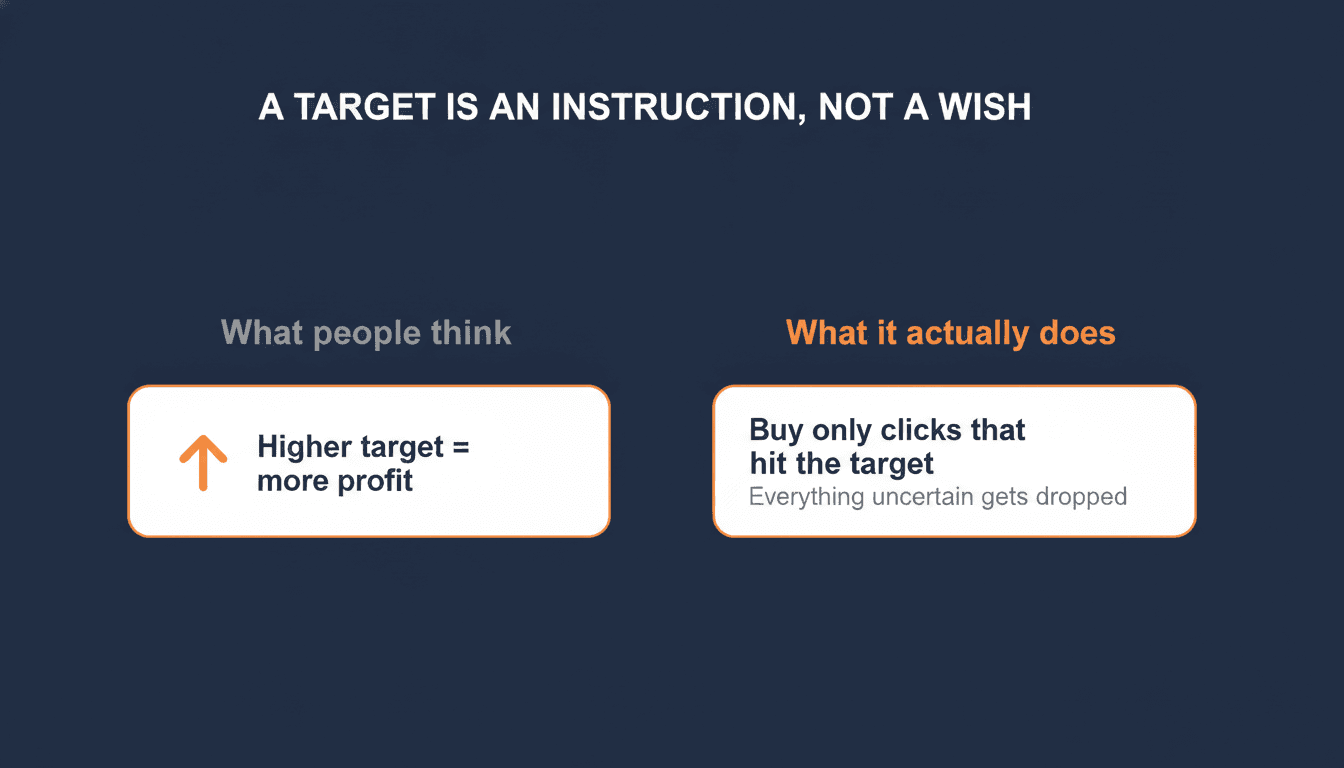
Maximize Conversion Value with no target spends your whole budget and chases as much revenue as possible, regardless of efficiency. Target ROAS lays an efficiency ceiling over that. The difference between "spend it all, as smart as you can" and "spend as long as the return stays above X". The higher you set that ceiling, the more searches fall under it and disappear.
The mechanism: how a target that is too high throttles your spend
Set the target higher than your campaign can realistically hit, and Google does not say "I will do my best". Google confirms it in its own documentation: a target ROAS that is too high can limit the amount of traffic your ads get, and then the bid strategy simply cannot spend the full budget.
The campaign falls back on the only clicks the system is sure about. In an e-commerce account that is almost always your cheapest, safest traffic: people typing your brand name, people who already knew you, people who were going to buy anyway. The algorithm knows those convert, so those clear the target. All the uncertain traffic, the exact traffic growth has to come from, it lets go.
You see the result in two numbers moving the wrong way. Your ROAS goes up, because you are only buying your best clicks. Your volume collapses, because you are barely buying anything else. Great report, less money in the till.
The trap when things go wrong: when revenue drops, the natural reflex is to raise the target, hoping for better numbers. That does the opposite. You throttle the campaign further. The dashboard looks even better, and you sell even less. You optimize yourself out of the market.
The status Google shows you here is called "Limited by bid strategy". Many people read past it, or assume they need more budget. But Google's own advice for that status is blunt: lower your target ROAS so the system can place bids again. Not more budget. A more realistic target.
The part nobody explains: the feed under your target
Up to here, every guide on this topic does roughly the same thing. Lower your target, give it time, done. But there is a layer underneath that almost everyone skips, and that layer decides whether your target means anything at all.
Target ROAS runs on one thing: the predicted conversion value of a click. Google sets every bid based on how much revenue it expects. And that prediction is only as good as the data you feed it.
For an online store, that data comes from two sources. The first is your conversion value tracking: does your site send the real order value back to Google, or a fixed amount, or nothing? The second is your product feed: are your prices correct, are your products identified properly, can the right value be tied to the right click?
If either one is messy, Google calculates with polluted numbers. A product with the wrong price in the feed gets the wrong predicted value. Missing or duplicate product IDs scramble which revenue hangs on which click. A site that sends a fixed conversion value instead of the real order value hands the algorithm a flat, meaningless signal to steer on.
A concrete example, more common than you would think. A store sends a fixed conversion value of 50 euro on every purchase, because real order-value tracking was never set up correctly. To Google, every sale is now worth exactly the same, whether someone buys a 20 euro item or places a 300 euro order. The algorithm can no longer tell your valuable clicks from your worthless ones, because you are telling it they all earn the same. Put a target ROAS over that, and the target steers on a made-up reality. You lower it, you raise it, and nothing you do produces a logical result, because the data underneath is flat.
The same goes for the feed. A catalogue where part of the products carry a wrong or missing price gives Google the wrong margins to calculate with. The system then bids too high on products that earn less than it thinks, and too low on products that actually perform. Your target might be set perfectly, but it is steering on a map that does not match the terrain.
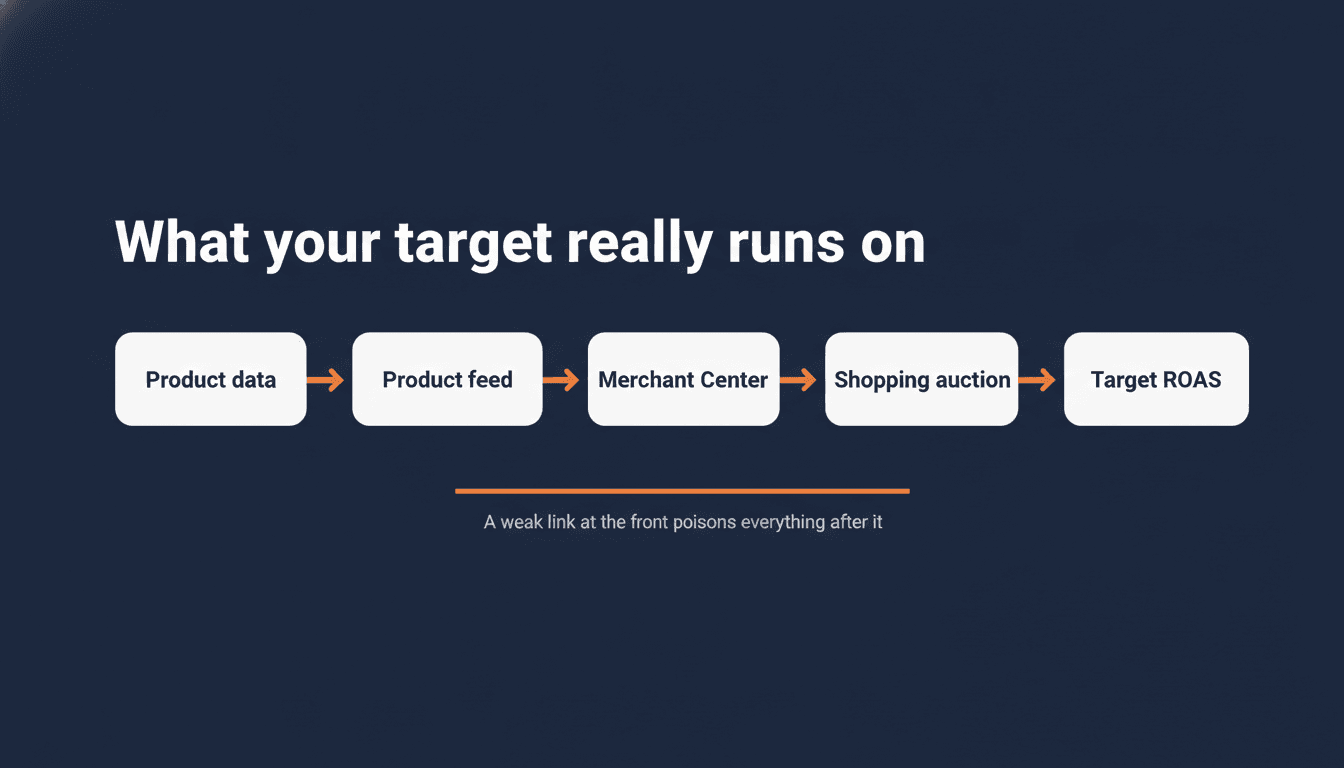
Before you touch your target, check that your conversion value tracking sends the real order value and that your feed is clean. Tuning a target on polluted data is measuring with a broken ruler. First the ruler, then the measurement.
Checking the feed for wrong prices and disapprovals across a large catalogue is slow by hand. It is one of the tasks I now run with a free Claude skill for Google Ads, a feed auditor that surfaces the products steering your target the wrong way. Feed data can also go stale without a single disapproval showing up, which is what happens when the connection that delivers your feed stops working. Your target keeps steering, just on yesterday's prices.
This is why I never look at bidding and feeds separately. Most people treat them as two worlds: the feed people and the bidding people. But in a Google Ads account for e-commerce they are one chain. Your product data goes into the feed, the feed goes to Merchant Center, Merchant Center feeds the Shopping and Performance Max auction, and there your target decides who gets the click. A weak link at the front poisons everything behind it. That is how I build the tools at WP Marketing Robot too: not to make the feed look pretty, but because a clean feed is the only foundation a bid strategy can honestly calculate on. If you want to see how that chain fits into the bigger picture, from feed to campaign types to bidding, the complete guide to Google Ads for ecommerce walks through the whole thing.
What Google says versus what every blog says
Search for how to adjust target ROAS and you get the same advice everywhere: change it in small steps of 10 to 20 percent and wait a few weeks. It gets repeated so often it sounds like law.
The interesting thing is that Google's own documentation says something different. It states, in plain terms, that you can change your ROAS targets as often and by as large a magnitude as you want. Smart Bidding reacts to a target change within minutes and starts optimizing toward the new goal immediately. The bid reacts right away; it can just take one to two conversion cycles before the new target is actually hit, simply because there is a delay between a click and the purchase that follows.
So who is right? Both. They are answering different questions.
Google answers: can the algorithm handle a large, fast change? Yes. The system learns continuously and adjusts in real time. Technically you can jump from 300 to 450.
The blogs answer, without saying so, a different question: can you still see what your change did? And there the answer is no. Jump 150 percent in one move and your volume, your return, and your traffic mix all shift at once, and afterward you cannot tell which move caused what. Google warns about this itself, by the way: a large target change can have an equally large impact on your spend or volume.
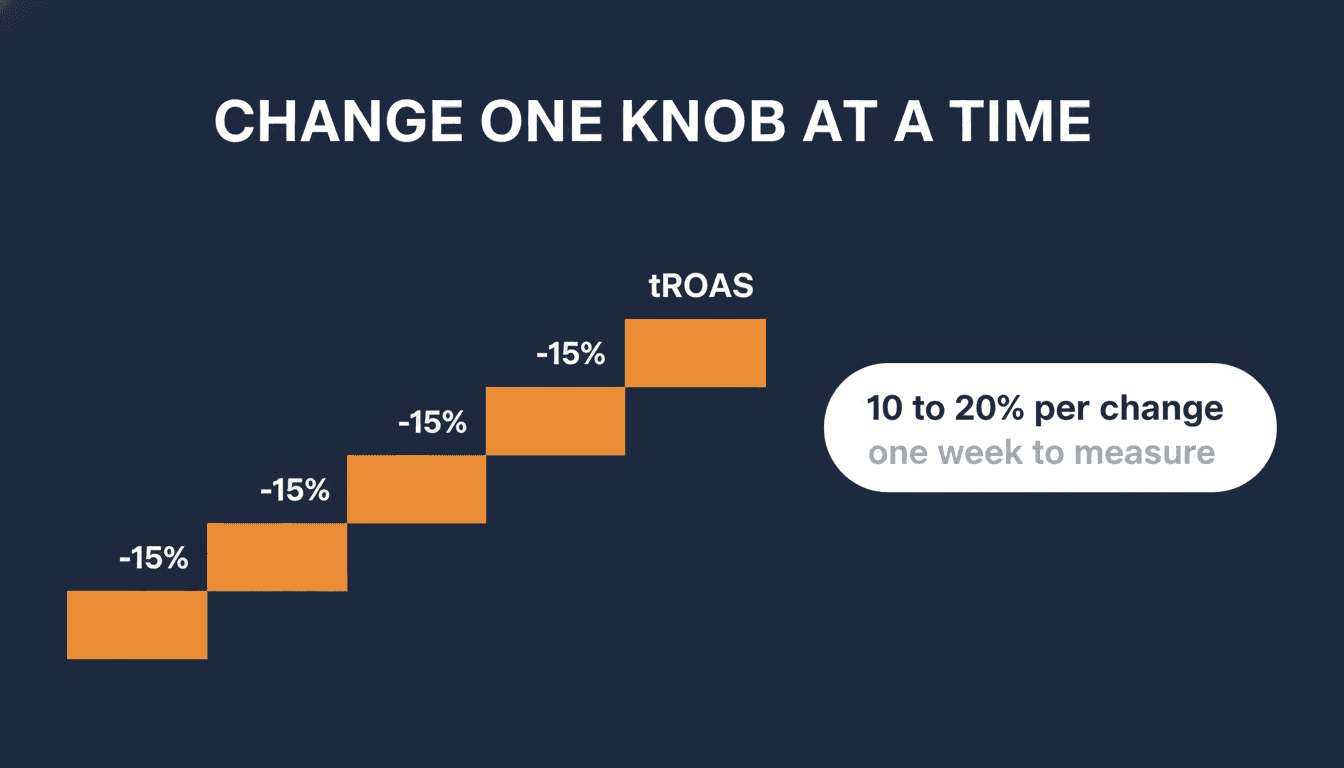
Change your target by 10 to 20 percent at a time and give it a week. Not because the algorithm is slow, but because that is how you measure what one change did without three things moving at once. One knob at a time. Lower to buy more volume, raise to defend margin, never both in the same week.
How to set it up properly
It comes down to three things, in this order.
Set your target to the number you have, not the number you want. Look at your real return over the last 30 days. If your campaign runs around 320 percent, set your target to 300 to 320, not 450. You can always go up later, step by step, if the campaign can take it. But start on reality. A target above your reality is not ambition, it is a brake.
Watch which number you are reading here. The ROAS Google Ads shows you and the ROAS you see in GA4 almost always differ, because they use different attribution and credit conversions at different moments. Ignore benchmarks like "a good ROAS is 400 percent" or "aim for 800" too. Those numbers say nothing about your store. A store with 70 percent margin can run a profit at a lower ROAS, while a store with 15 percent margin loses money at that same number. The only relevant figure is your own achieved return, read from the source your bid strategy actually steers on: Google Ads itself.
Give new campaigns data before you impose a target. Putting a high target ROAS on a brand new Shopping or Performance Max campaign is like asking someone to hit a sales quota on day one before they know the product. The system has nothing to steer on yet. Start those campaigns on Maximize Conversion Value with no target, let them gather roughly 30 to 50 conversions, then switch to tROAS using your actual learning-period return as the starting point. For Performance Max specifically, the Performance Max guide for ecommerce covers what extends the learning phase and why judging results too early is one of the costliest PMax mistakes.
Give every change the learning period it needs. After a change to your bid strategy, the campaign needs time to calibrate, shown as the "Learning" status. How long that takes depends mostly on how many conversions you run and how long your conversion cycle is. Expect up to around 50 conversion events or three conversion cycles before the system is fully settled. So do not judge it on one bad day. You evaluate a bid strategy over weeks, not hours.
The summary in one glance
A target ROAS set too high is the silent killer of e-commerce campaigns. It throttles your volume, makes your dashboard look better than reality, and tempts you to make the problem worse by setting the target even higher.
Three things to remember:
- The target is an instruction, not a wish. Set it to your real 30-day return, not your goal.
- A target steers on predicted conversion value. If your feed or your value tracking is wrong, you are tuning on polluted data. First the ruler, then the measurement.
- You can change big, but you change small and one knob at a time, so you can measure what each step did.
Do this today: open your campaigns and look at two things before you touch anything. Does it say "Limited by bid strategy", and what is your actually achieved ROAS over the last 30 days? Compare that to the target you set. If your target sits above your real return, you have your answer. And while you are there, check that your conversion value tracking sends the real order value, because that decides whether the target is steering on numbers that hold up at all.
Frequently asked questions
Why has my Google Ads campaign stopped spending its budget?
The most common cause is a target ROAS set higher than your campaign can realistically hit. When Google cannot find enough clicks that meet your target, it stops bidding on most traffic and your budget goes unspent. Check your campaign status for "Limited by bid strategy" and compare your target to your actual achieved ROAS over the last 30 days. If your target sits above your real return, lower it.
What does "Limited by bid strategy" mean in Google Ads?
It means your Smart Bidding target is too ambitious for the traffic available. Google can only buy clicks it predicts will meet your target, and at your current target, not enough clicks qualify. The fix is not more budget. It is a more realistic target. Lower your tROAS to roughly your actual 30-day return and give the campaign a week to recalibrate.
Why does my ROAS look good but my revenue is down?
A target ROAS that is too high filters out everything except your safest, cheapest traffic: brand searches and returning visitors who would have bought anyway. Your conversion rate goes up because you are only buying the easy wins. Your volume collapses because you are buying almost nothing else. A higher number in your dashboard with less revenue in your account is the classic sign of a throttled campaign.
Should I change my target ROAS in small steps?
Yes, but not because the algorithm is slow. Google's Smart Bidding adjusts within minutes of any change. The reason for small steps (10 to 20 percent at a time, one week between changes) is so you can measure what each change did. Make a large jump and three things shift at once: volume, return, and traffic mix. You end up unable to tell which move caused what.
How does my product feed affect my target ROAS performance?
Your tROAS target steers on predicted conversion value, and that prediction is only as good as the data Google receives. If your feed has wrong prices, missing product IDs, or your conversion tracking sends a fixed value instead of the real order value, the algorithm calculates with polluted numbers. You can adjust your target all you want, but if the underlying data is wrong, no target will produce a logical result. Clean feed and accurate conversion value tracking come before any bidding adjustment.
About the author

Auke Jongbloed
Auke Jongbloed is a Google Shopping and product feed specialist. He builds a product feed manager for WooCommerce, and works directly with ecommerce store owners on Google Shopping and Performance Max setups via aukemarketing.com. Follow him on LinkedIn for more on Google Shopping and feed strategy.
Google Shopping account review
Find out exactly where your Shopping budget is leaking
I go through your campaigns, search terms, products, and feed settings and write up exactly where money is leaving -- ranked by recoverable spend, in plain language. From $297. No retainer, no commitment.
Get your account review